> For the complete documentation index, see [llms.txt](https://naviprotocol.gitbook.io/navi-protocol-docs/llms.txt). Markdown versions of documentation pages are available by appending `.md` to page URLs; this page is available as [Markdown](https://naviprotocol.gitbook.io/navi-protocol-docs/user-guides/borrow/create-e-mode-borrowing.md).
# Create E-Mode Borrowing
Coming Soon
**E-Mode** is designed to increase capital efficiency when the collateral and borrowed assets are highly correlated.
On NAVI, E-Mode is structured as a one-asset-to-one-asset pair, offering enhanced borrowing conditions compared to standard markets. When enabled, borrowers benefit from:
* Higher **Maximum Loan-to-Value (Max LTV)**
* Higher **Liquidation Threshold**
* Optimized **Liquidation Penalty**
These improved parameters allow users to borrow more efficiently while maintaining controlled risk exposure.
### How to Create an E-Mode Position
To manually create an E-Mode position:
* Go to the Lending page.
* Click the “E-Mode” button.
* Select the borrow asset and corresponding collateral asset and click 'Enable'.
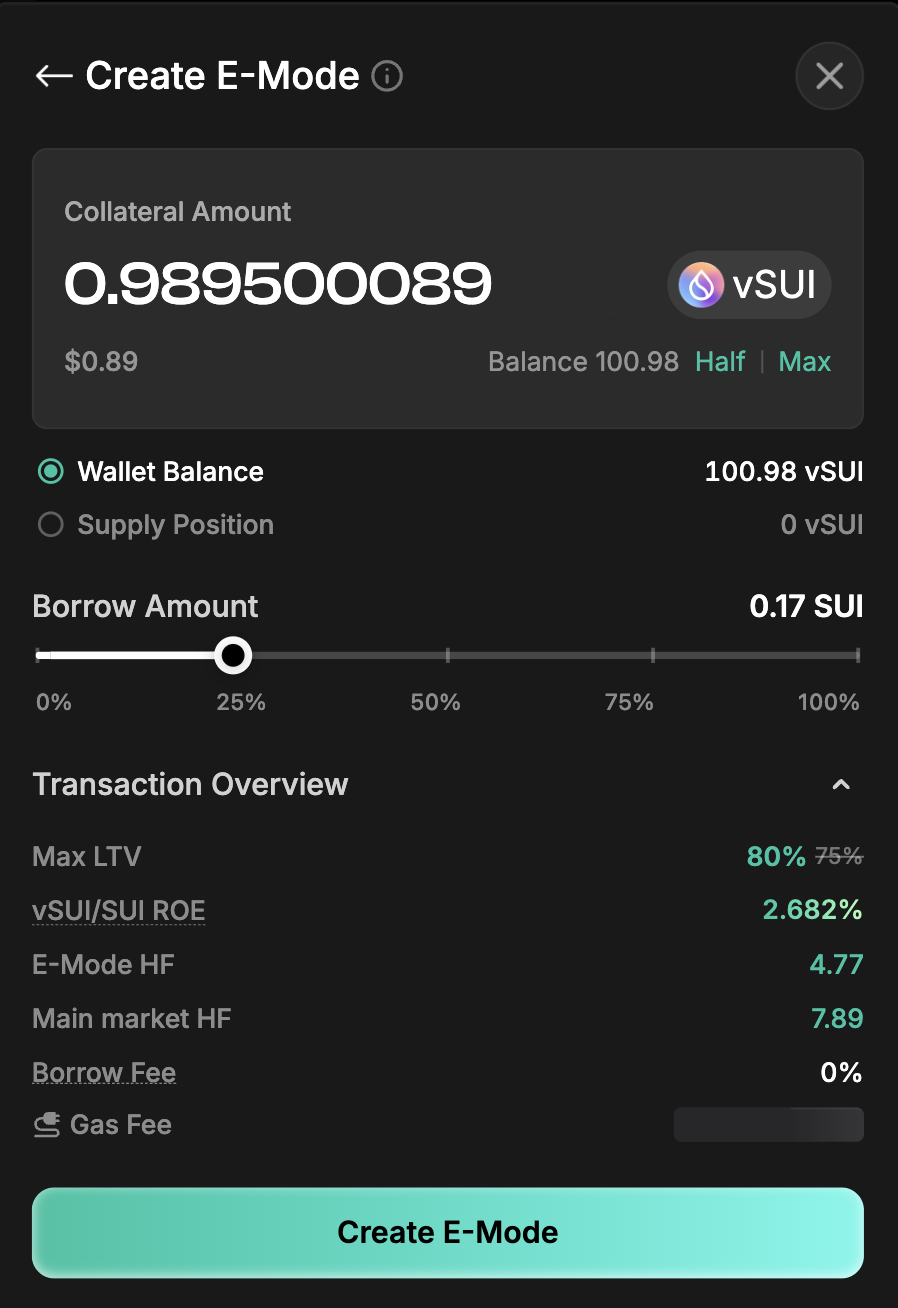
* Enter the amount you want to supply as collateral. You can choose to use assets from your wallet or assets you’ve already supplied. Note: Moving supplied assets into E-Mode may affect the health factor of that market.
* Enter the amount you want to borrow, review the transaction details and then confirm the to proceed.
Once created, the E-Mode position will be managed separately from other market positions.
### How to Enable E-Mode when Supplying
You can supply assets directly to E-Mode from the normal flow.
* Click the “Supply to” dropdown to choose where your assets will go — either the market or E-Mode.
### Can I enable more than one E-Mode?
Yes. You can activate multiple E-Mode pairs (e.g., SUI–vSUI and SUI–haSUI). Each pair functions independently.
### Does liquidation in E-Mode affect my other positions?
No. E-Mode positions are treated as independent positions.
* Liquidation in an E-Mode position does not affect your main market positions.
* Each E-Mode pair operates independently.
For example: If you hold a position in the main market and another in a specific E-Mode pair, liquidation in one will not impact the other.
### What E-Mode pairs are available?
Please see [Protocol Parameters E-Mode](https://naviprotocol.gitbook.io/navi-protocol-docs/parameters/e-mode) to view the latest supported pairs.