> For the complete documentation index, see [llms.txt](https://naviprotocol.gitbook.io/navi-protocol-docs/llms.txt). Markdown versions of documentation pages are available by appending `.md` to page URLs; this page is available as [Markdown](https://naviprotocol.gitbook.io/navi-protocol-docs/user-guides/borrow/how-to-borrow.md).
# How to Borrow
Supply collateral, then borrow a different asset against it. First choose a mode.
### Before you start
Pick a mode at the top of the Borrow page — **by Market** (shared margin, all markets) or **by Pair** (isolated single-pair markets, higher LTV).
See Borrow for the full comparison. The steps below apply to both; mode-specific notes are called out where they differ.
Prime Mode adds **1-Click Supply** directly from a market row.
***
### One-Click Borrow
* **Choose collateral** — pick a token from your wallet balance, enter an amount.
* **Choose what to borrow** — only assets that pair with your collateral are shown.
* **Auto-matched market** — NAVI picks the best market (highest LTV by default); you can switch.
* **Confirm** — review Health Factor, liquidation price and Borrow APR, then confirm.
### Max Borrow
The assets supplied by the user will affect the maximum loan value. The loan amount is limited based on the health factor. When the max button is clicked, the minimum health factor that the user can achieve will be calculated, formula is:
$$H\_f = \frac{ \sum Supply\_i : in : USD : \times : Liquidation Threshold\_i}{\sum Supply\_i : in : USD : \times : : MAX LTV\_i}$$
### E-Mode
When your pair matches an **E-Mode** market, you get higher LTV. If E-Mode isn't on yet, the flow shows an **Enable E-Mode** button — a separate step that refreshes LTV once done. See **Create E-Mode Borrowing**.
***
### Borrow more
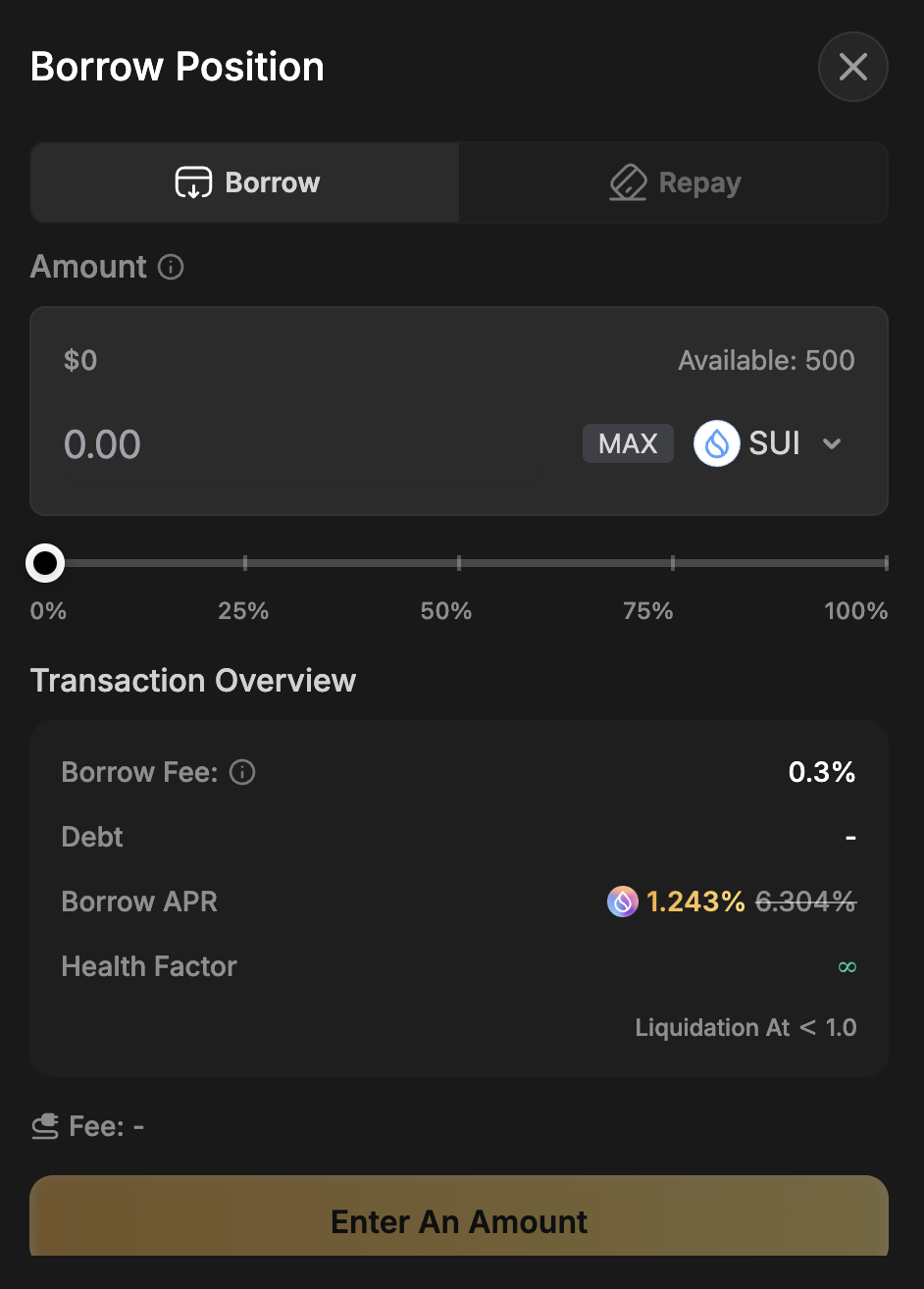
Before borrowing, you need to make sure you have deposited enough assets as collateral. The maximum amount that users are eligible to borrow depends on the value of deposits, asset type, and the assets' available liquidity.
* Once you have deposited enough assets as collateral, click on “Borrow” in the right panel to access the borrowing interface.
* Scroll down to the asset you wish to borrow and select the amount
* Confirm your transaction in your wallet and finalize the borrow procedure.
### Repay
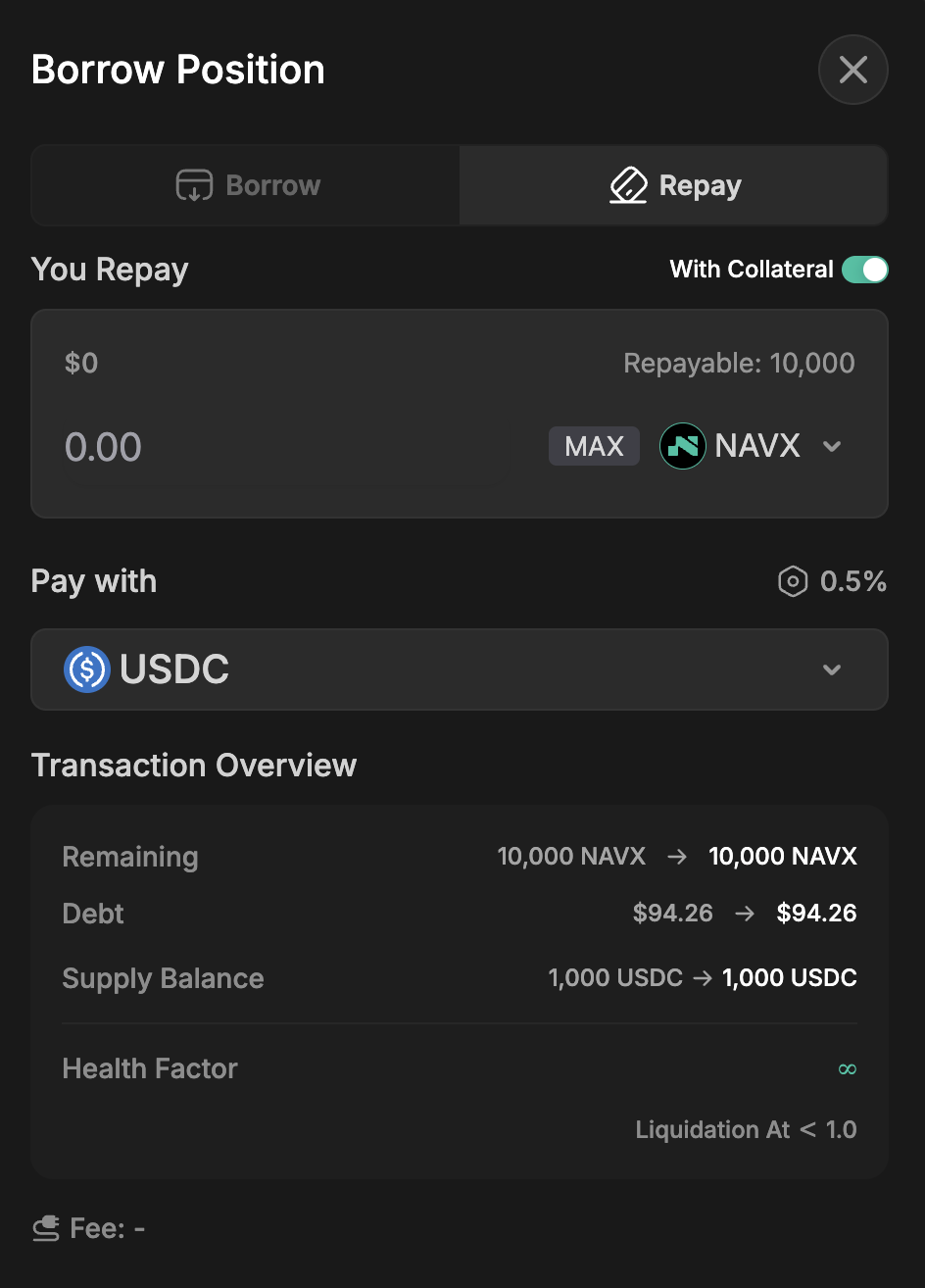
You repay the loan in the original format of the asset one borrowed. For example, if you borrow 1 Sui initially, you need to pay back 1 Sui + interest accrued (in Sui).
* If you have outstanding debt, your portfolio will show the debt amount and a “**Repay**” button. Click it to start.
* Enter the amount you wish to repay; the tokens will be deducted from your wallet balance.
* You can also choose to **repay using your collateral**.
* Click “**Confirm**” and approve the transaction in your SUI-compatible wallet.
* Once confirmed, the loan will be repaid for the specified amount.
### Reward Limit in Borrow
If you borrow the same token as you supplied, this will significantly reduce the rewards you can receive.
$$
Effective Amount = Supply Amount - Borrow Amount
$$
In case the user has practiced borrow nesting to extremes, the effective amount will reduce to 0. Effective Amount: the effective liquidity counting towards users’ rewards.
### Is there a fee charged?
NAVI charges a 0.3% borrow fee, applied once at the time of borrowing to ensure protocol sustainability. This fee is taken from the borrowed amount. Additionally, NAVI utilizes incentives that can reward users for borrowing, reducing the net cost of borrowing assets.